|
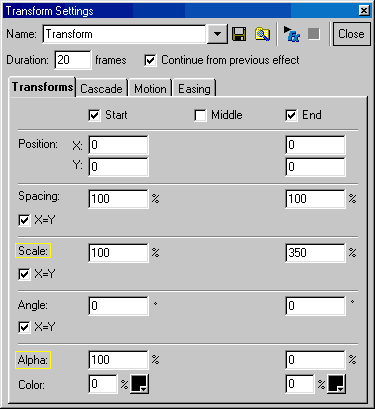
This one is real easy. The things to change are:
Now, for a little discussion. 1st, I used a little fadein to establish the image. The image is a piece of VECTOR (emf) art created with Coreldraw. (Adobe Illustrator or other programs may be used). I just happen to like Corel. The advantage of vector is scalability without the "jaggies" that occur with bitmaps. The future is headed in this direction for designers who are serious about graphics.
Use the MOTION tab to change the end position and rotation of your font or image. Experiment!
As FONTS are basically vectorized, this effect works excellent with typefaces. Tip: Check CASCADE - Whole Object. Try it out!
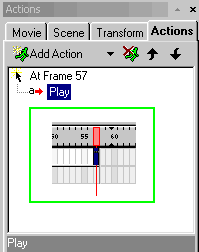
To add TIME at the end of your movie: 1st, click the timeline ruler and slide to the desired location. (see green inset below)

|